
Blog & Articles
Why Hospitals Need Multi-Channel Alerting for Operational Response
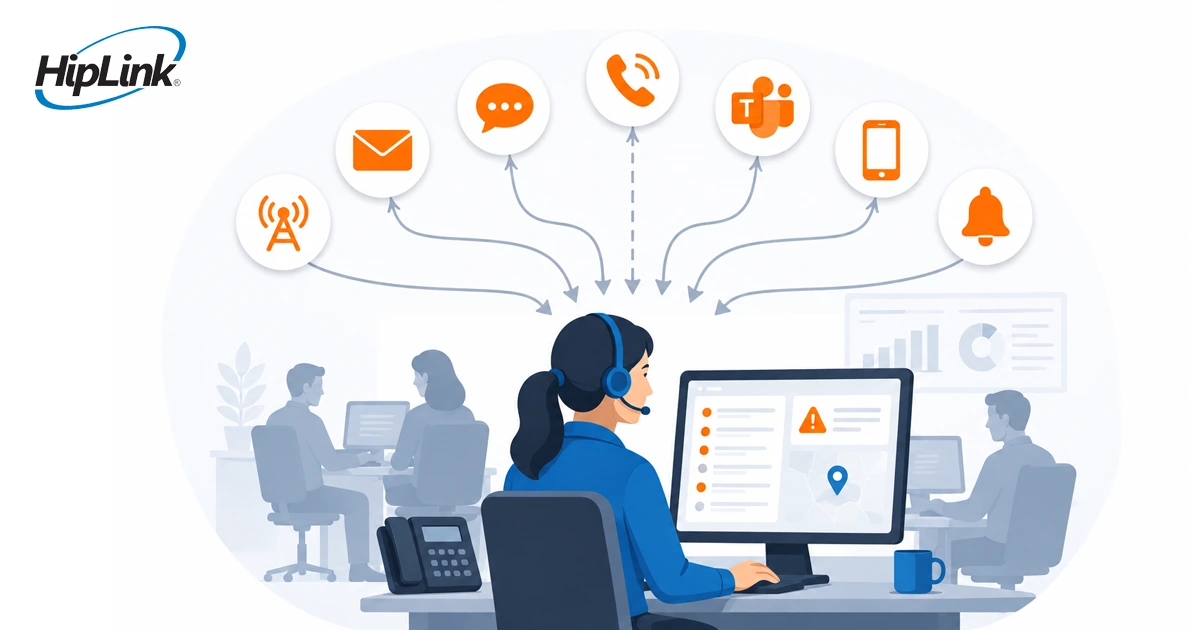
A hospital event does not wait for the most convenient communication channel. A chiller fault, generator warning, fire-panel event, security issue, or network outage may begin in one system, but response depends on reaching the people responsible for acting.
That becomes difficult when teams work across buildings, shifts, roles, and devices. Facilities may rely on a pager or mobile phone. IT may monitor email and desktop systems. Security may need a direct alert while leadership only needs an update at a defined stage. Sending every message through one channel creates a fragile response path.
Multi-channel alerting gives hospitals more control over that path. It allows each event to follow configured rules for who should receive it, which channel should be used, what confirmation is required, and who should be contacted next if nobody responds.
From a Sent Message to a Confirmed Hospital Response
Why one communication channel creates a response gap
Email, SMS, mobile applications, voice, and paging can each play a useful role. The problem begins when one of them becomes the only way to reach everyone.
A single channel may not match the device a staff member carries, the environment where the person works, or the urgency of the event. Coverage and availability can also vary across mechanical rooms, lower floors, remote buildings, and off-site locations. Even when the message is delivered, the sender may still not know whether someone has accepted responsibility.
The operational question is therefore broader than, “Was an alert sent?” Hospital teams also need to know:
-
Did it reach the responsible role or on-duty team?
-
Was the message confirmed?
-
What happens if the first recipient does not respond?
-
Who else needs an update?
-
What communication record remains for review?
What multi-channel alerting should mean
Multi-channel alerting should not mean sending the same message to every person through every available channel. That approach creates more noise and can make critical alerts harder to recognize.
A better model connects the event to a defined response path:
-
A source system or authorized sender initiates the alert.
-
Routing rules identify the appropriate role, group, or on-duty recipient.
-
The alert is delivered through one or more configured channels.
-
The recipient confirms the message or provides the required response.
-
The alert escalates when the expected response does not occur.
-
Delivery, confirmation, and escalation activity is recorded.
This is the difference between having several messaging options and having a coordinated communication workflow.
Match the delivery path to the role and event
Hospitals rarely need one fixed channel policy for every team. They need rules that reflect how each group works.
For example, an operations team may choose paging or SMS for an on-call technician, a mobile application when a structured response is required, and a desktop alert for a staffed control room. A supervisor may only enter the workflow when the first recipient does not confirm within the configured time. Leadership may receive an update when an event reaches a defined severity or duration.
The channel is only one part of the design. The workflow also needs the correct recipient data, on-call schedule, message content, confirmation requirement, escalation target, and timing rule. These details determine whether a multi-channel system supports response or simply distributes more messages.
Hospitals that still rely on paging do not necessarily need to remove it. Paging can remain one configured delivery path alongside SMS, voice, email, desktop alerts, and mobile applications. The goal is to connect those channels to the same response logic rather than operate them as isolated methods. HipLink’s desktop texting and paging capabilities support this kind of role-, group-, and schedule-based communication.
Where multi-channel alerting supports hospital operations
The strongest use cases begin with a real operational handoff.
Facilities and engineering
Building, safety, refrigeration, medical gas, power, and environmental systems may detect their own conditions. The communication layer can extend selected events to the responsible facilities role, request confirmation, and escalate when no response occurs. HipLink’s facility alarm management approach is designed around that connection between source alarms and human response.
Security and emergency management
Security events may require a direct alert to an on-duty officer, an escalation to a supervisor, and updates to another designated group. Routing should follow the hospital’s established response procedures and avoid broadcasting sensitive or irrelevant information to people who do not need it.
IT operations
Monitoring systems can identify an application, network, or interface problem, but the event still has to reach the on-call owner. A multi-channel workflow can route the alert according to service responsibility and schedule, then escalate when the configured confirmation does not occur.
Support and logistics teams
Transport, environmental services, and other support teams often work across departments and locations. Authorized staff can use targeted communication paths to reach the relevant role or group and track whether the message was received and accepted.
Build reliability through rules, not message volume
Adding channels does not automatically make communication more dependable. Hospitals should define how the channels work together.
A useful design process includes:
-
identifying which events require immediate human action;
-
assigning a primary owner and fallback recipient;
-
choosing channels that fit the role and working environment;
-
setting confirmation and escalation rules by event priority;
-
limiting distribution to people who need the information;
-
testing recipient data, schedules, channel behavior, and failure paths;
-
reviewing delivery and response records to improve the workflow.
These controls also help reduce unnecessary alerting. Lower-priority events can follow a different path from a generator fault, fire-panel event, or high-impact IT incident. HipLink’s automated alarm management capabilities can apply filtering, role-based routing, multi-channel delivery, confirmation, escalation, and response-history rules to supported alarm sources.
How HipLink supports multi-channel hospital communication
HipLink connects supported source systems and authorized senders with configured communication workflows. It can route alerts by role, group, or schedule; deliver messages across configured channels; record confirmations; escalate unanswered alerts; and retain communication history.
HipLink does not replace the building, safety, clinical, security, or IT systems that detect and manage the underlying condition. Its role is to help selected events reach the people responsible for acting and to make the communication response easier to follow.
Hospitals reviewing their broader communication environment can also explore how HipLink supports healthcare operations and communication across departments, systems, and devices.
Questions hospital leaders ask about multi-channel alerting
What is multi-channel alerting in a hospital?
Multi-channel alerting is the use of configured communication paths such as SMS, voice, email, pager, desktop alerts, or mobile applications to reach the appropriate hospital role or team. A complete workflow also defines confirmation, escalation, and response-record requirements.
Does multi-channel alerting send every alert through every channel?
It should not. Hospitals can configure delivery according to the event, priority, role, schedule, and required response. The purpose is to improve coverage and follow-up without creating unnecessary message volume.
Can a hospital keep paging as part of a modern alerting approach?
Yes. Paging can remain one delivery path within a broader workflow. Hospitals can combine it with other configured channels and add confirmation, escalation, and response tracking where the selected devices and workflow support them.
Does HipLink replace hospital alarm or monitoring systems?
No. Source systems continue to detect and manage the underlying condition. HipLink connects to supported sources and coordinates communication to designated recipients according to the hospital’s configured rules.
What should a hospital test before deploying a multi-channel workflow?
Teams should test source events, recipient data, schedules, message content, delivery paths, confirmation windows, escalation targets, permissions, and the records available after the event. Compatibility and failure handling should be validated for each connected source and channel.
When hospital operations depend on several teams and devices, the response path should still be clear. Request a HipLink demonstration based on your systems, recipient groups, channels, confirmation requirements, and escalation rules.