
Blog & Articles
The Evolution of Critical Alerting: From Paging Roots to Multi-Channel Resilience
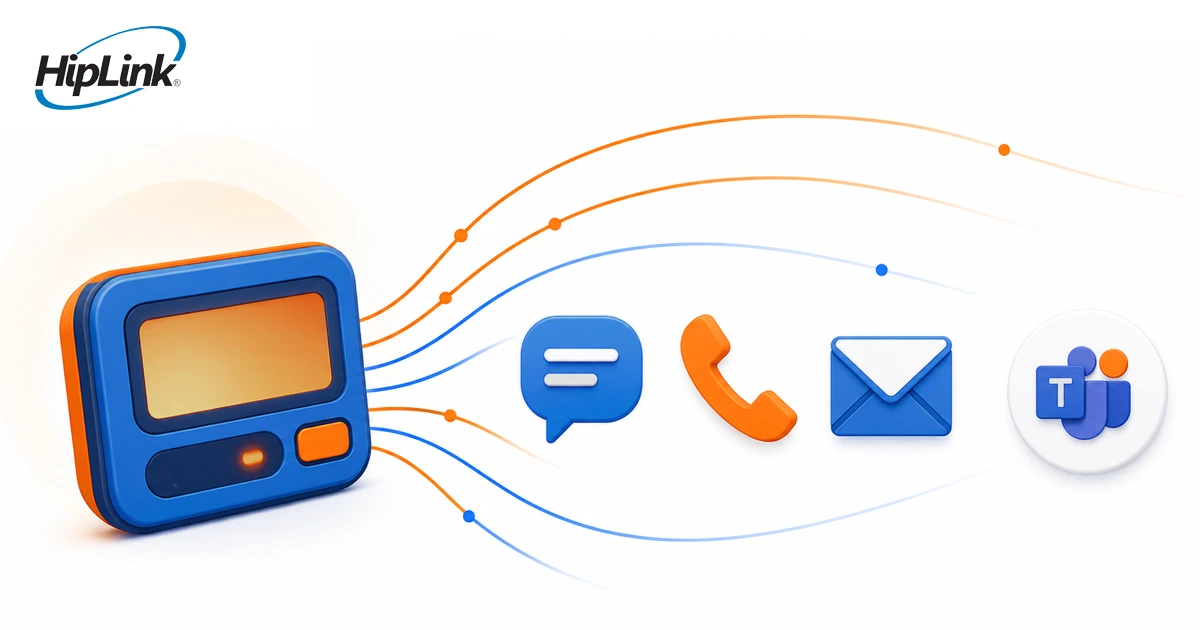
Paging earned its place in critical communication by giving organizations a direct way to reach people whose response mattered. In many environments, pagers still remain part of established operational workflows.
The limitation appears when paging operates as an isolated delivery method. A message may be sent, but the organization may still need to know who is responsible, whether that person confirmed the alert, what happens if there is no response, and how the communication is recorded.
That is where critical alerting has evolved. Modernization does not have to mean removing paging. It can mean placing paging alongside other configured delivery paths and connecting each alert to routing, confirmation, escalation, and response history.
From a Page Sent to a Response You Can Verify
Paging can still have a useful role
A communication system does not need to eliminate an existing device simply because additional channels are available.
Some organizations still have teams, schedules, and procedures built around paging. Others use pagers for particular roles while smartphones, SMS, voice, email, or desktop alerts serve different parts of the workforce.
HipLink's desktop texting and paging capabilities support paging alongside SMS, voice, email, mobile, and desktop delivery. That allows an organization to keep a useful paging workflow while adding response controls around it.
The more important question is not whether paging is old or new. It is whether the communication path matches the people, environment, urgency, and response requirement involved.
Multi-channel alerting should follow policy, not send everywhere at once
Using multiple delivery methods does not mean every alert should go to every device.
A routine operational message may need one route. A critical system alarm may require a different channel, a confirmation, and a defined backup recipient. An after-hours alert may need to follow the current on-call schedule rather than a static contact list.
That is the operating value of multi-channel alerting. The organization can define how a particular alert should move based on who owns the response and what should happen next.
HipLink can route configured messages to individuals, groups, roles, schedules, or on-duty personnel and use different enabled delivery methods depending on the workflow.
This distinction also matters because speed alone does not establish that someone has taken responsibility. Our article on why fast delivery is not enough in critical communication looks more closely at the difference between sending quickly and producing a confirmed response.
Confirmation closes the first response gap
One of the biggest differences between a basic paging workflow and a broader alert-response process is what happens after delivery.
A sent message tells the organization that the communication process started. It does not necessarily tell the organization that the intended responder has accepted responsibility.
For alerts where ownership matters, the workflow can require a confirmation. If the expected response does not arrive within the configured window, the alert can move to another person or group.
That creates a defined sequence:
Alert initiated → routed to the responsible person → delivered → confirmed → escalated if needed → recorded
The specific confirmation and escalation rules should reflect the organization's operating procedures. A low-priority maintenance alert may tolerate a longer response window. A critical operational event may require a much faster escalation.
The important point is that the next action is decided before the incident rather than improvised after somebody realizes the first recipient never responded.
Connect source systems without making the alerting layer the source of truth
Many critical alerts do not begin with a person typing a message. They begin in another operational system.
A monitoring application, building system, controller, security system, SCADA environment, or other supported source may detect a condition that requires human attention. The source system remains responsible for detecting and managing that underlying condition.
HipLink's role begins when the event needs to reach the people responsible for action.
Through its automated alarm management capabilities, supported events can be filtered or prioritized and then routed according to configured recipients, schedules, groups, and escalation policies.
That separation is important. The source identifies the condition. The alerting workflow coordinates the communication to the people who need to respond.
Paging can remain one destination within that process rather than being the entire process itself.
Modernization can happen in stages
Organizations do not need to redesign every communication workflow at once.
A practical starting point is to map the alerts that already matter. Identify where they originate, which roles own the response, how those people are currently reached, and where the current workflow loses visibility.
From there, teams can decide which paging workflows should remain unchanged and which ones need additional controls.
For one alert class, the first improvement may simply be adding confirmation. Another may need schedule-based routing so the message follows the current on-duty technician. A third may need a second delivery path or an escalation when the primary recipient does not respond.
This staged approach keeps the focus on the operating gap rather than on replacing technology for its own sake.
Test the failure path, not just normal delivery
Adding channels also does not create automatic redundancy.
Two delivery methods may still share infrastructure that can fail together. A mobile application and an email alert may depend on network services that are unavailable during the same incident. Another route may remain operational but reach the wrong person because the schedule was never updated.
Critical workflows should therefore be tested under the conditions they are meant to handle.
Verify that the source event reaches the alerting workflow. Confirm the correct role is selected. Test the expected delivery methods. Let a confirmation window expire and make sure the configured escalation occurs. Review the record afterward.
The same principle applies to facility alarms. A hospital may have sophisticated building systems and still experience a response gap if the alarm does not reach the right technician or nobody knows whether the alert was accepted. Our article on the hidden cost of missed facility alarms shows how that communication gap can affect hospital operations.
The goal is not to claim that one communication channel can never fail. It is to design the response process so the organization knows what should happen when the first route does not produce the required outcome.
Critical alerting has evolved beyond the delivery device
Paging was built around getting a message to a person.
Modern critical alerting has to answer a wider set of questions. Who should receive the event now? Which delivery methods are appropriate? Did someone confirm responsibility? Who should receive the escalation? What record remains afterward?
Paging can still be part of that model. The change is that the pager no longer has to carry the whole response process by itself.
Organizations evaluating how to modernize an existing paging or critical-alerting workflow can request a HipLink demonstration based on their current devices, alert sources, on-call structure, delivery requirements, confirmation rules, and escalation policies.
Questions About Paging and Multi-Channel Alerting
Is paging obsolete?
No. Paging can still serve a useful role in organizations where it fits the operating environment and established response workflow. The more important question is whether paging alone provides the routing, confirmation, escalation, and response visibility required for the alert.
Can pagers and mobile alerts be used in the same workflow?
Yes, where configured. HipLink supports multiple response channels, including pager, SMS, voice, email, mobile app, and desktop alerts. Different recipients or alert classes can use different delivery paths.
Does multi-channel alerting guarantee that every message will be delivered?
No communication design should be treated as an absolute guarantee. Organizations should evaluate the dependencies behind each delivery path, configure appropriate fallback and escalation behavior, and test the workflow under realistic failure conditions.
Does HipLink replace monitoring, SCADA, or building-management systems?
No. Those systems remain responsible for detecting and managing the underlying operational condition. HipLink can receive supported events and coordinate the communication workflow to the people responsible for responding.
What should an organization evaluate before modernizing paging?
Start with the workflow rather than the device. Identify the source of each important alert, the responsible role, current delivery path, required response, escalation rule, and communication record. Then decide where paging should remain and where additional channels or response controls are needed.